
#FactCheck -AI-Generated Protest Video Falsely Linked to ‘Yadav Ji Ki Love Story’ Controversy
Executive Summary
The film ‘Yadav Ji Ki Love Story’, scheduled to release on February 27, has become embroiled in controversy over its title. Several organizations have expressed objections, registering their displeasure regarding the name of the film. Amid the row, a video is being widely circulated on social media. The footage shows a large crowd holding banners and posters while staging a protest. Users sharing the clip claim that it is from South India, where members of the Yadav community have allegedly launched a large-scale agitation against the film. However, research conducted by the CyberPeace found the viral claim to be false. Our research revealed that the video is not authentic but AI-generated, and is being shared with a misleading narrative.
Claim
On February 22, 2026, a Facebook user shared the viral video claiming it depicts protests by the Yadav community in South India against the film. The original and archived links to the post are provided below

Fact Check:
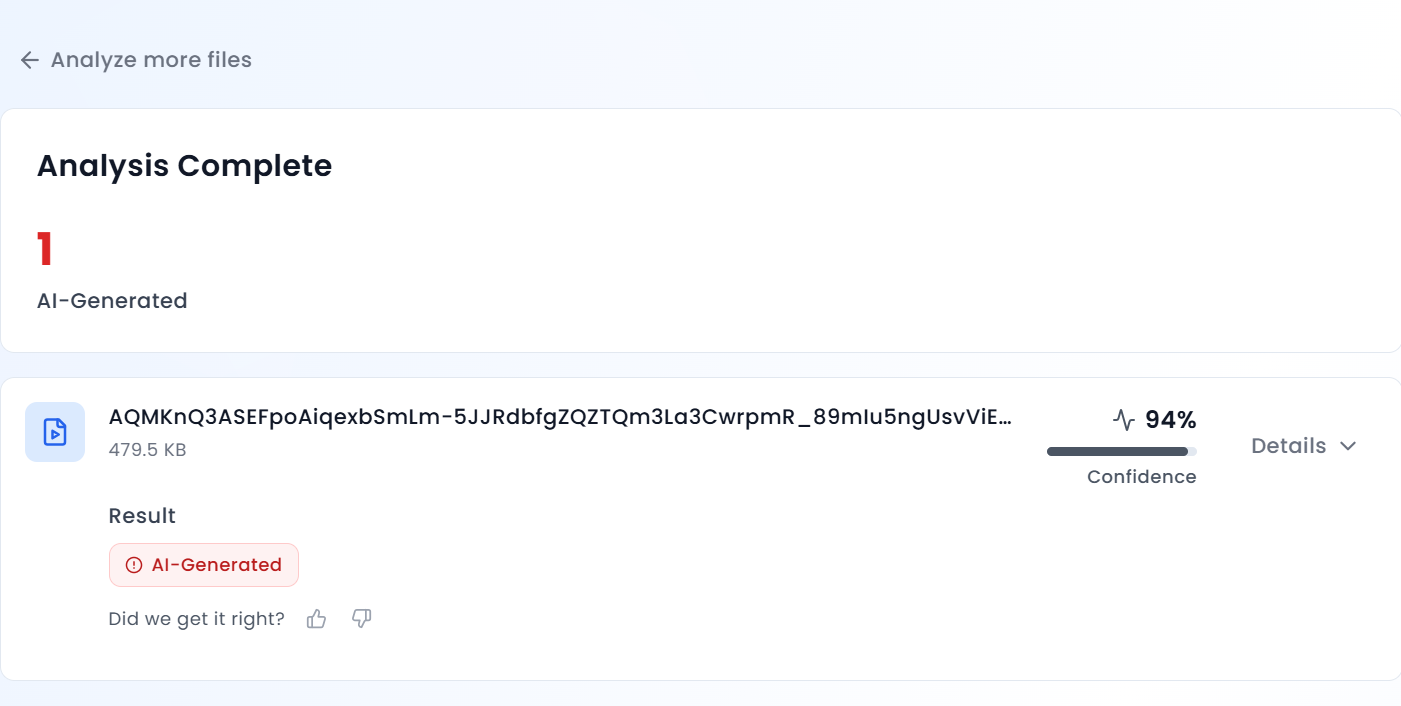
Upon closely examining the viral video, we noticed several anomalies in the visuals, crowd movements, and certain frames. The unnatural patterns and inconsistencies raised suspicions that the footage may have been generated using artificial intelligence. To verify this, we analyzed the video using the AI detection tool Aurigin AI, which indicated that the footage was AI-generated.
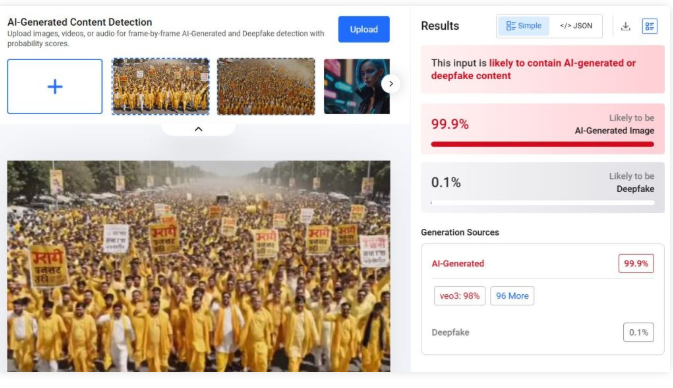
We further scanned the clip using another AI detection platform, Hive Moderation. The results showed a 99 percent probability that the video was AI-generated.
Conclusion
Our findings confirm that the viral video is not real. It has been artificially created using AI technology and is being circulated with a false and misleading claim.

Related Blogs

Cyber attacks in India besides becoming common are also getting deadlier. Each strike has taken proportions to drive home the fact that no one is safe.
Hacker ‘John Wick’, hasn’t spared India’s PM or Paytm. Cyber intelligence firm Cyble which dredges the Dark Web has red-flagged hacking episodes at Truecaller, Dunzo, Unacademy, Naukri.com, Bharat Earth Movers Limited (BEML), LimeRoad and IndiaBulls.Picture this, Mumbai-based cybersecurity firm Sequretek, says in Covid-hit 2020, India has seen a 4000% spike in phishing emails and a 400% uptake in the number of policy violations that have grown over 400% as per the latest statistics.Besides the threat to crucial data, the cost suffered by companies is phenomenal. According to a report by IBM’s ‘Cost of a Data Breach Report 2020’ report, Indian companies witnessed an average $2 Mn total cost of data breach in 2020, this is an increase of 9.4% from 2019.
Another survey by Barracuda Networks revealed that 66% of Indian organisations have had at least one data breach or cybersecurity incident since shifting to a remote working model during the pandemic.
Indian Startups At Mercy Of Cyber Attacks
More recently personal data of 2.8 Lakh WhiteHat Jr students and teachers were exposed, where crucial details of minors have been made available on the dark web. Another major breach that took place this week and exclusively reported by Inc42 was when data of 1.4 Mn job seekers was leaked when jobs portal IIMjobs was hacked.
Vineet Kumar, the founder of Cyber Peace Foundation (CPF), a think tank of cybersecurity and policy experts, said that with the increased digitisation of companies and their processes, data has become the new oil.
“You get good money when you sell users data on the dark web. Hackers discovering vulnerabilities and using SQL injections to pull entire databases remains a common practice for hacking,” Kumar told Inc42.
The CyberPeace Foundation says from mid-April to the end of June it noticed 8,98,7841 attacks, July and August saw 64,52,898 attacks. Whereas September and October saw 1,37,37,516 attacks and 18,149,233 attacks respectively.
Speaking to Inc42, Pankit Desai, cofounder and CEO, Sequretek says, “Originally only a limited set of systems were being exposed, now with WFH all systems have to be exposed to the internet as all your processes are enabled remotely. WFH also creates an additional challenge where ‘personal assets are being used for professional purposes’ and ‘professional assets are being used for personal purposes.”
Malwares like SpyMax, Blackwater are being used as a combination of phishing mails and poorly secured home computers to harvest credentials. These credentials are then used for carrying out attacks. The number of attacks with harvested credentials is already up 30%, the company revealed.
Government data shows that in 2019 alone, India witnessed 3.94 lakh instances of cybersecurity breaches. In terms of hacking of state and central government websites, Indian Computer Emergency Response Team (CERT-In) data shows that a total of 336 websites belonging to central ministries, departments, and state governments were hacked between 2017 and 2019.
According to Nasscom’s Data Security Council of India (DSCI) report 2019, India witnessed the second-highest number of cyber attacks in the world between 2016 and 2018. This comes at a time when digitisation of the Indian economy is predicted to result in a $435 Bn opportunity by 2025.On September 22, the Ministry of Electronics and Information Technology (MeITY) told the Parliament that Indian citizens, commercial and legal entities faced almost 7 lakh cyberattacks till August this year.
The Indian Computer Emergency Response Team (CERT-In) has “reported 49,455, 50,362, 53,117, 208,456, 394,499 and 696,938 cybersecurity incidents during the year 2015, 2016, 2017, 2018, 2019 and 2020 (till August) respectively,” the MeITY said while responding to an unstarred question in the Lok Sabha regarding cyberattacks on Indian citizens and India-based commercial and legal entities.“
India also lacks a cohesive nation-wide cyber-strategy, policies, and procedures. Regulations around data privacy, protection, and penalty should be enacted and enforced as these measures will help businesses evaluate their cybersecurity posture and seek ways to improve. Currently, incident reporting is not mandatory. By making it compulsory, there will be a body of research data that can provide insights on threats to India and inform the government on strategies it can undertake to strengthen the nation’s cyber posture,” said Kumar Ritesh, founder and CEO, Cyfirma.The Internet Crime Report for 2019, released by the USA’s Internet Crime Complaint Centre of the Federal Bureau of Investigation (FBI), has revealed that India stands third in the world among top 20 countries that are victims of internet crimes.
Kumar attributes these numbers to Indian’s lack of basic cyber awareness. However, a poignant point is also the lack of a robust cybersecurity policy in India. Though the issue was touched upon by Prime Minister Narendra Modi during his Independence Day speech on Aug 15, 2020, not much movement has happened on that front.
“Cybersecurity is a very important aspect, which cannot be ignored. The government is alert on this and is working on a new, robust policy,” Modi said.The PM’s announcement was made in the backdrop of the government’s initiative to connect 1.5 lakh gram panchayats through an optical fiber network, thereby increasing the country’s internet connectivity.
With India pipped to take on the world with its IT prowess and increased digital integration the need for a robust policy is now more than ever.
Source: https://inc42.com/buzz/3-94-lakhs-and-counting-how-cyberattacks-are-a-worry-for-digital-india/
Executive Summary:
A video is being widely circulated on social media in connection with the relief and rescue operations following the devastating floods in Nepal. The video shows security personnel rescuing a girl trapped under debris and later giving her soup. The video is being shared with the claim that security personnel rescued a girl who had been buried under mud three days after the disaster in Timure village of Nepal’s Rasuwa district. A research by CyberPeace Research Wing found the viral claim to be false. Our research revealed that the viral video does not depict a real incident but is AI-generated.
Claim:
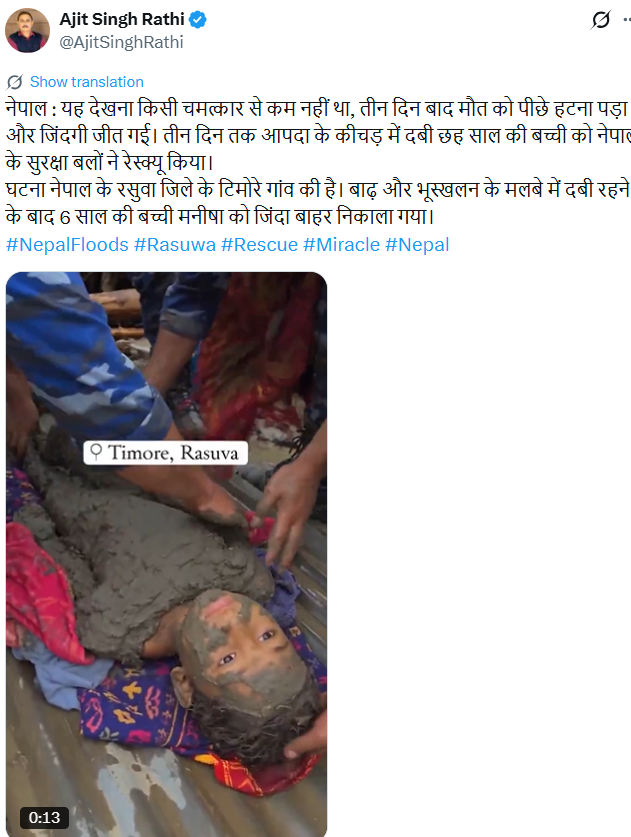
A user on social media platform X (formerly Twitter) shared the viral video with the caption: “Nepal: It was nothing short of a miracle to witness this. After three days, death had to retreat and life emerged victorious. A six-year-old girl, who had been buried under the disaster debris for three days, was rescued by Nepal’s security forces. The incident took place in Timure village of Nepal’s Rasuwa district. Six-year-old Manisha was pulled out alive after being buried under debris caused by floods and landslides.”
https://x.com/AjitSinghRathi/status/2094306889001742826?s=20
Fact Check:
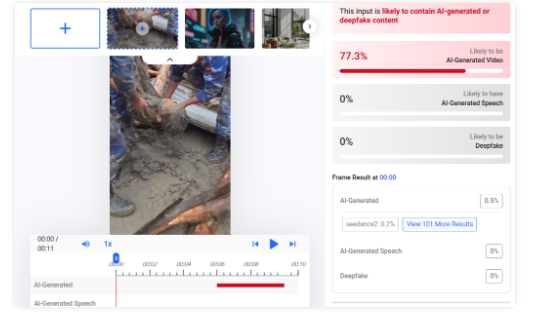
A close examination of the viral video revealed several inconsistencies, raising suspicions that the video was AI-generated. We then scanned the viral video using the AI detection tool Hive Moderation. According to the results, there is a 77 per cent likelihood that the viral video is AI-generated.
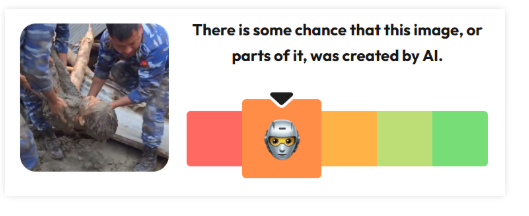
As part of our research, we scanned the video using the AI detection tool Wasitai. According to the results, the viral video is AI-generated.
Conclusion:
Our research found the viral claim to be false. Our findings revealed that the viral video does not depict a real incident but is AI-generated.

Executive Summary:
A video of Pakistani Olympic gold medalist and Javelin player Arshad Nadeem wishing Independence Day to the People of Pakistan, with claims of snoring audio in the background is getting viral. CyberPeace Research Team found that the viral video is digitally edited by adding the snoring sound in the background. The original video published on Arshad's Instagram account has no snoring sound where we are certain that the viral claim is false and misleading.

Claims:
A video of Pakistani Olympic gold medalist Arshad Nadeem wishing Independence Day with snoring audio in the background.

Fact Check:
Upon receiving the posts, we thoroughly checked the video, we then analyzed the video in TrueMedia, an AI Video detection tool, and found little evidence of manipulation in the voice and also in face.


We then checked the social media accounts of Arshad Nadeem, we found the video uploaded on his Instagram Account on 14th August 2024. In that video, we couldn’t hear any snoring sound.

Hence, we are certain that the claims in the viral video are fake and misleading.
Conclusion:
The viral video of Arshad Nadeem with a snoring sound in the background is false. CyberPeace Research Team confirms the sound was digitally added, as the original video on his Instagram account has no snoring sound, making the viral claim misleading.
- Claim: A snoring sound can be heard in the background of Arshad Nadeem's video wishing Independence Day to the people of Pakistan.
- Claimed on: X,
- Fact Check: Fake & Misleading
