
#FactCheck - Viral Video Distorts Rahul Gandhi’s Speech to Push False Religious Claim
Executive Summary
A video of the Leader of the Opposition in the Lok Sabha and Congress MP Rahul Gandhi is being widely shared on social media. In the clip, Gandhi is seen saying that he does not know what “G Gram G” is. Several users are sharing the video with the claim that Rahul Gandhi insulted Lord Ram. However, CyberPeace research found that the claim is misleading. Rahul Gandhi was not referring to Lord Ram in the video. Instead, he was speaking about a newly introduced law titled Viksit Bharat–G RAM G (VB–G RAM G), which has been brought in to replace the Mahatma Gandhi National Rural Employment Guarantee Act (MGNREGA). The viral clip has been shared with a false narrative.
Claim
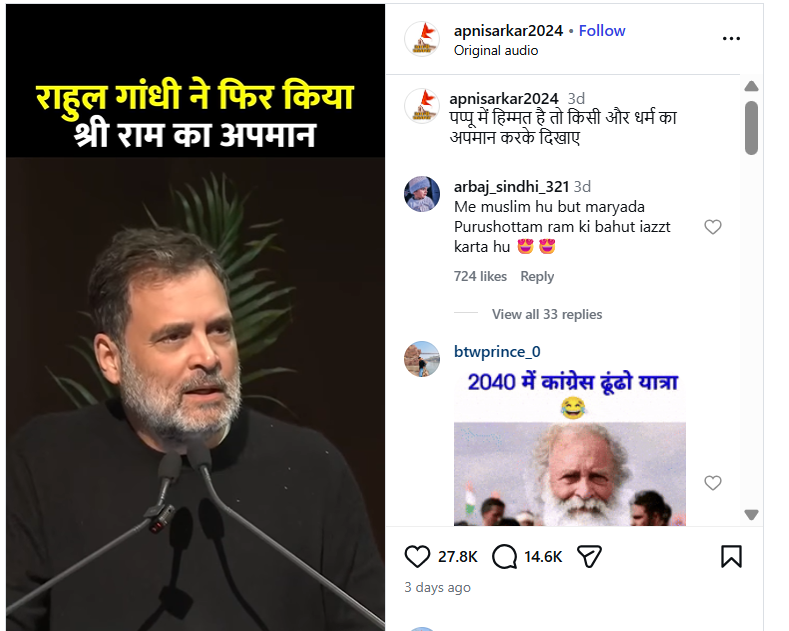
On January 22, 2026, an Instagram user apnisarkar2024 shared the video claiming, “Rahul Gandhi once again insulted Shri Ram.” (Link, archive link, and screenshot available above)
- https://www.instagram.com/reel/DTzeiy0k3l5
- https://perma.cc/J3A3-NGBM?type=standard
Research
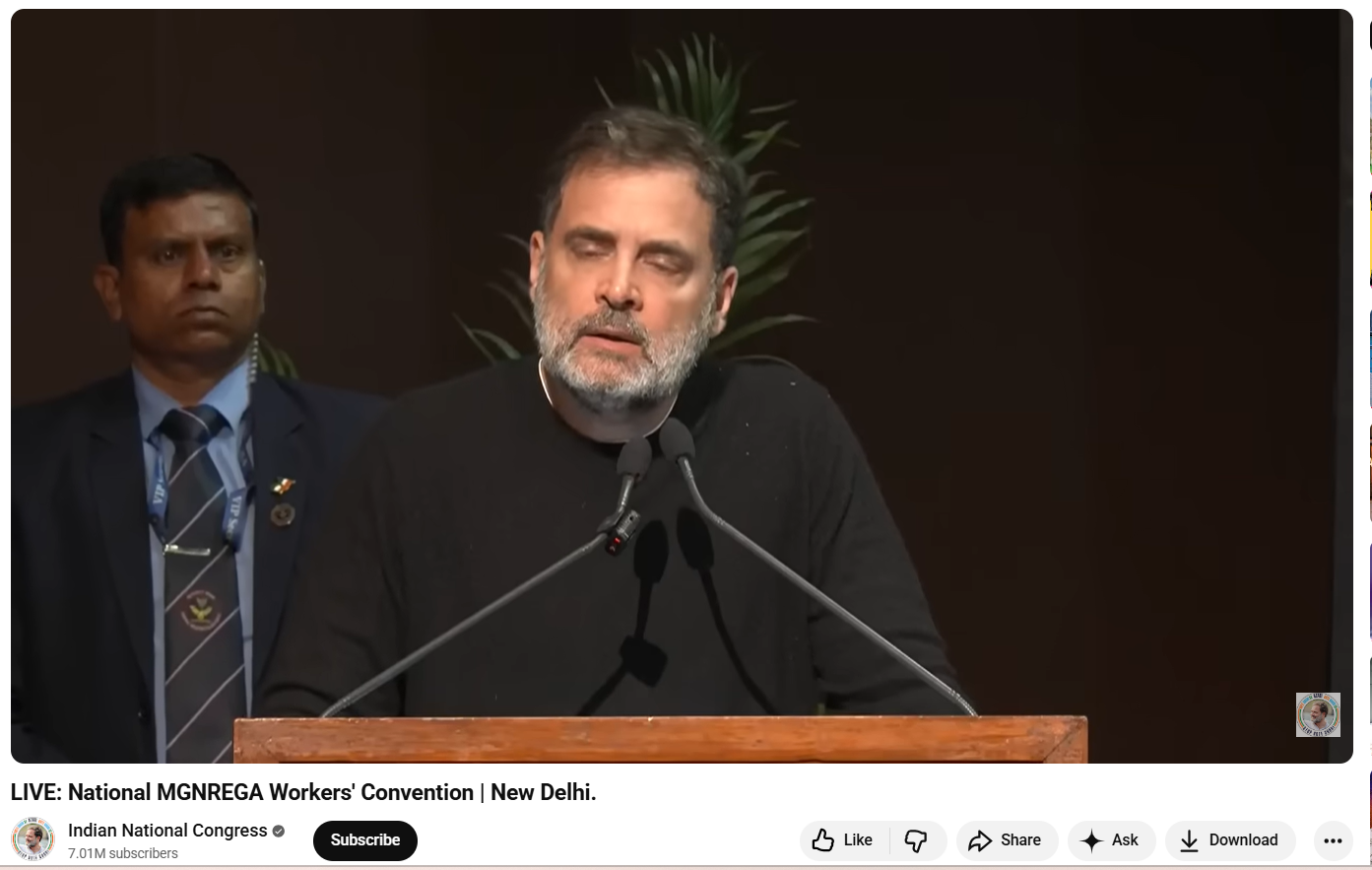
As part of the Research, we first closely examined the viral video. In the clip, Rahul Gandhi is heard saying: “I don’t know what Gram G is. I don’t even know the name of this new law… what is G Gram G…” At no point in the video does Rahul Gandhi mention Lord Ram or make any comment related to religion. To verify the context, we extracted keyframes from the viral clip and conducted a Google Lens search. This led us to a longer version of the same speech uploaded on the official YouTube channel of the Indian National Congress on January 22, 2026. The viral segment appears after the 39:50-minute mark.
The video is from the National MGNREGA Convention held in New Delhi, where Rahul Gandhi criticised the central government over the replacement of MGNREGA with the new VB–G RAM G law. During his speech, he expressed his opposition to the new legislation and stated that he was unfamiliar with its details. Throughout the address, he did not mention or refer to Lord Ram in any manner.
Conclusion
Rahul Gandhi’s remarks in the viral video were related to the newly introduced VB–G RAM G law and were part of his criticism of the central government’s policy decisions. He did not insult Lord Ram. The video is being shared on social media with a misleading and false claim.

Related Blogs

Introduction
In the hyperconnected world, cyber incidents can no longer be treated as sporadic disruptions; such incidents have become an everyday occurrence. The attack landscape today is very consequential and shows significant multiplication in its frequency, with ransomware attacks incapacitating a health system, phishing attacks hitting a financial institution, or state-sponsored attacks on critical infrastructures. Towards counteracting such threats, traditional ways alone are not enough, they gravely rely on manual research and human intellect. Attackers exercise speed, scale, and stealth, and defenders are always four steps behind. With such a widening gap, it is deemed necessary to facilitate incident response and crisis management with the intervention of automation and artificial intelligence (AI) for faster detection, context-driven decision-making, and collaborative response beyond human capabilities.
Incident Response and Crisis Management
Incident response is the structured way in which organisations deal with responding to detecting, segregating, and recovering from security incidents. Crisis management takes this even further, dealing not only with the technical fallout of a breach but also its business, reputation, and regulatory implications. Echelon used to depend on manual teams of people sorting through logs, cross-correlating alarms, and generating responses, a paradigm effective for small numbers but quickly inadequate in today's threat climate. Today's opponents attack at machine speed, employing automation to launch attacks. Under such circumstances, responding with slow, manual methods means delay and draconian consequences. The AI and automation introduction is a paradigm change that allows organisations to equate the pace and precision with which attackers initiate attacks in responding to incidents.
How Automation Reinvents Response
Cybercrime automation liberates cybercrime analysts from boring and repetitive tasks that consume time. An analyst manually detects potential threats from a list of hundreds each day, while automated systems sift through noise and focus only on genuine threats. Malware can automatically cause infected computers to be disconnected from the network to avoid spreading or may automatically have its suspicious account permissions removed without human intervention. The security orchestration systems move further by introducing playbooks, predefined steps describing how incidents of a certain type (e.g., phishing attempts or malware infections) should be handled. This ensures fast containment while ensuring consistency and minimising human error amid the urgency of dealing with thousands of alerts.
Automation takes care of threat detection, prioritisation, and containment, allowing human analysts to refocus on more complex decision-making. Instead of drowning in the sea of trivial alerts, security teams can now devote their efforts to more strategic areas: threat hunting and longer-term resilience. Automation is a strong tool of defence, cutting response times down from hours to minutes.
The Intelligence Layer: AI in Action
If automation provides speed, then AI is what allows the brain to be intelligent and flexible. Working with old and fixed-rule systems, AI-enabled solutions learn from experiences, adapt to changes in threats, and discover hidden patterns of which human analysts themselves would be unaware. For instance, machine learning algorithms identify normal behaviour on a corporate network and raise alerts on any anomalies that could indicate an insider attack or an advanced persistent threat. Similarly, AI systems sift through global threat intelligence to predict likely attack vectors so organisations can have their vulnerabilities fixed before they are exploited.
AI also boosts forensic analysis. Instead of searching forever for clues, analysts let AI-driven systems trace back to the origin of an event, identify vulnerabilities exploited by attackers, and flag systems that are still under attack. During a crisis, AI is a decision support that predicts outcomes of different scenarios and recommends the best response. In response to a ransomware attack, for example, based on context, AI might advise separating a single network segment or restoring from backup or alerting law enforcement.
Real-World Applications and Case Studies
Already, this mitigation has been provided in the form of real-world applications of automation and AI. Consider, for example, IBM Watson for Cybersecurity, which has been applied in analysing unstructured threat intelligence and providing analysts with actionable results in minutes, rather than days. Like this, systems driven by AI in DARPA's Cyber Grand Challenge demonstrated the ability to automatically identify an instant vulnerability, patch it, and reveal the potential of a self-healing system. AI-powered fraud detection systems stop suspicious transactions in the middle of their execution and work all night to prevent losses. What is common in all these examples is that automation and AI lessen human effort, increase accuracy, and in the event of a cyberattack, buy precious time.
Challenges and Limitations
While promising, the technology is still not fully mature. The quality of an AI system is highly dependent on the training data provided; poor training can generate false positives that drown teams or worse false negatives that allow attackers to proceed unabated. Attackers have also started targeting AI itself by poisoning datasets or designing malware that does not get detected. Aside from risks that are more technical, the operational and financial costs involved in implementing advanced AI-based systems present expensive threats to any company. Organisations will have to make expenditures not only on technology but also for the training of staff to best utilise these tools. There are some ethical and privacy issues to consider as well because systems may be processing sensitive personal data, so global data protection laws such as the GDPR or India's DPDP Act could come into conflict.
Creating a Human-AI Collaboration
The future is not going to be one of substitution by machines but of creating human-AI synergy. Automation can do the drudgery, AI can provide smarts, and human professionals can use judgment, imagination, and ethical decisions. One would want to build AI-fuelled Security Operations Centres where technology and human experts work in tandem. Continuous training must be provided to AI models to reduce false alarms and make them most resistant against adversarial attacks. Regular conduct of crisis drills that combine AI tools and human teams can ensure preparedness for real-time events. Likewise, it is worth integrating ethical AI guidelines into security frameworks to ensure a stronger defence while respecting privacy and regulatory compliance.
Conclusion
Cyber-attacks are an eventuality in this modern time, but the actual impact need not be so harsh. The organisations can maintain the programmatic method of integrating automation and AI into incident response and crisis management so that the response against the very threat can be shifted from reactive firefighting to proactive resilience. Automation gives speed and efficiency while AI gives intelligence and foresight, hence putting the defenders on par and possibly exceeding the speed and sophistication of the attackers. But an utmost system without human inquisitiveness, ethical reasoning, and strategic foresight would remain imperfect. The best defence is in that human-machine relationship symbiotic system wherein automation and AI take care of how fast and how many cyber threats come in, whereas human intellect ensures that every response is aligned with larger organizational goals. This synergy is where cybersecurity resiliency will reside in the future-the defenders won't just be reacting to emergencies but will rather be driving the way.
References
- https://www.sisainfosec.com/blogs/incident-response-automation/
- https://stratpilot.ai/role-of-ai-in-crisis-management-and-its-critical-importance/
- https://www.juvare.com/integrating-artificial-intelligence-into-crisis-management/
- https://www.motadata.com/blog/role-of-automation-in-incident-management/
Executive Summary
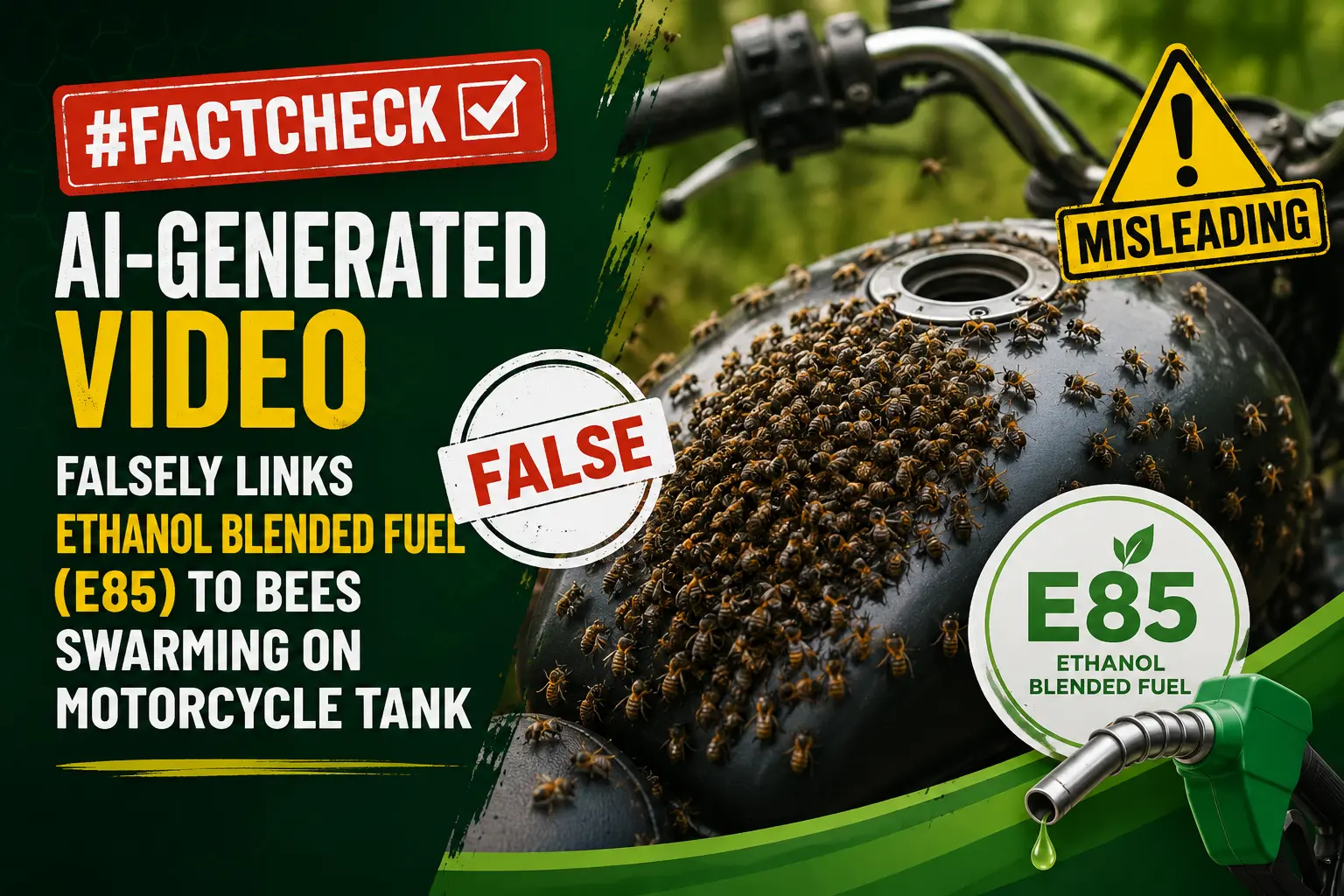
Following the official launch of E85 petrol in India on June 5, 2026, several videos have surfaced on social media claiming unusual side effects of ethanol-blended fuel. One such viral clip alleges that a swarm of bees gathers on a motorcycle fuel tank due to the use of ethanol mixed petrol. CyberPeace Research Wing research found the claim to be false and misleading. The viral video has been identified as AI-generated and does not depict any real-world incident related to ethanol-blended fuel.
Claim:
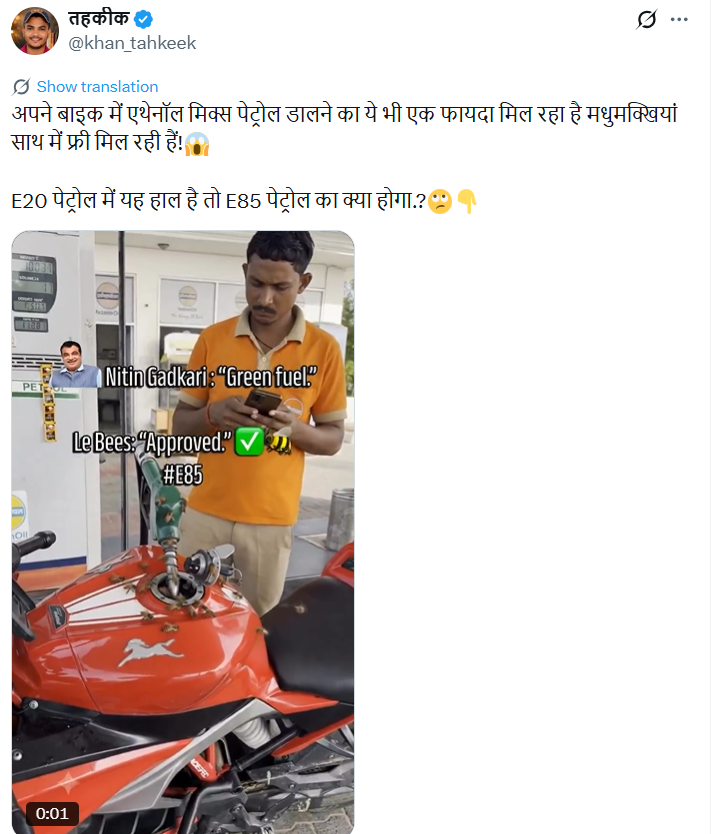
An X user shared an 11-second video on June 13, 2026, claiming that bees are being attracted to vehicles using ethanol-blended petrol. The post sarcastically suggested that E20 fuel is causing such unusual effects and questioned the impact of E85 petrol. https://x.com/khan_tahkeek/status/2065751435451437185?s=20, https://archive.ph/bMsL7
Fact Check:
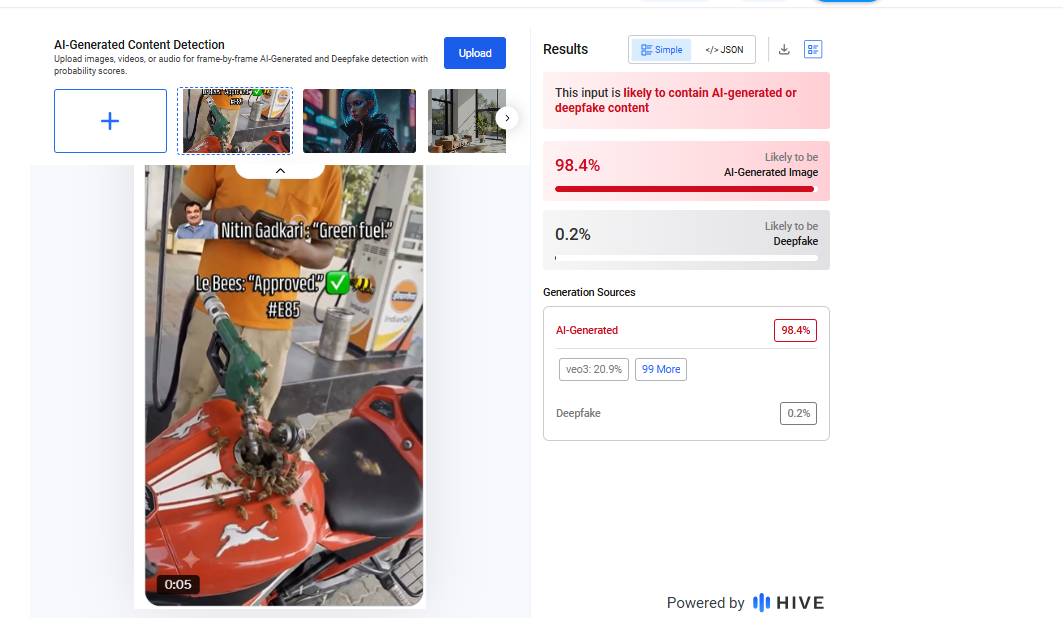
A Google search using relevant keywords did not return any credible media reports supporting the claim, raising initial doubts about its authenticity. Closer inspection of the viral video revealed multiple visual inconsistencies suggesting digital manipulation. The video was further analysed using AI detection tools. Hive Moderation flagged the content as having a 98% probability of being AI-generated, indicating strong likelihood of synthetic creation.
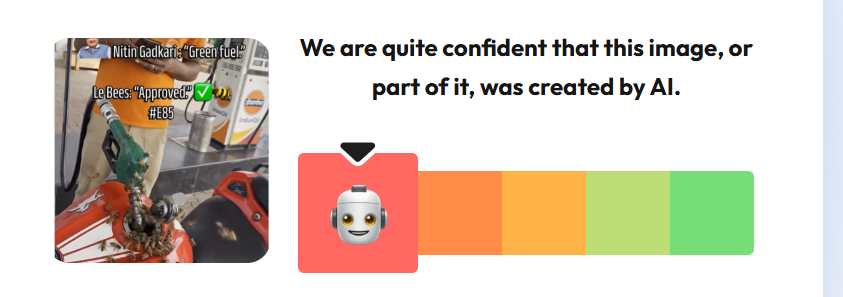
In addition, analysis using the AI detection tool “WasItAI” also confirmed that the video is AI-generated.
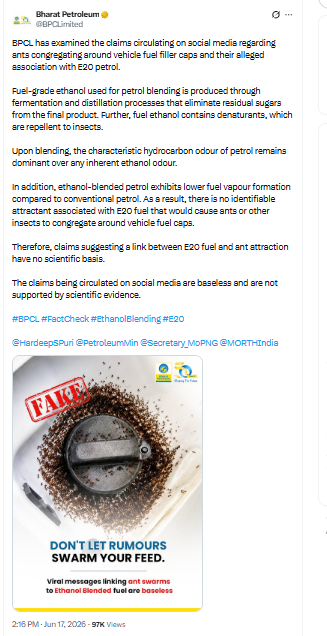
Further verification found an official post by Bharat Petroleum Corporation Limited (BPCL) dated June 17, 2026, debunking similar misinformation circulating around ethanol-blended petrol https://x.com/BPCLimited/status/2067167037710020929?s=20
Conclusion:
The research confirms that the viral video showing bees swarming on a motorcycle fuel tank is AI-generated. The claim linking it to ethanol-blended petrol (E85/E20) is false and misleading, with no real-world basis.

Executive Summary
A video from the Parliament complex is being widely shared on social media with the claim that Bharatiya Janata Party (BJP) MP Kangana Ranaut has come out in support of the ongoing Cockroach Janata Party (CJP)-led protest at Delhi’s Jantar Mantar. The viral post claims that Ranaut can be seen raising slogans in support of the protesters. CyberPeace Research Wing’s research found the claim to be misleading. The viral footage is not related to the ongoing CJP protest. It dates back to April 2026, when BJP women MPs staged a demonstration outside Parliament after the 131st Constitutional Amendment Bill failed to pass. The old video is now being falsely linked to the current protest.
Claim:
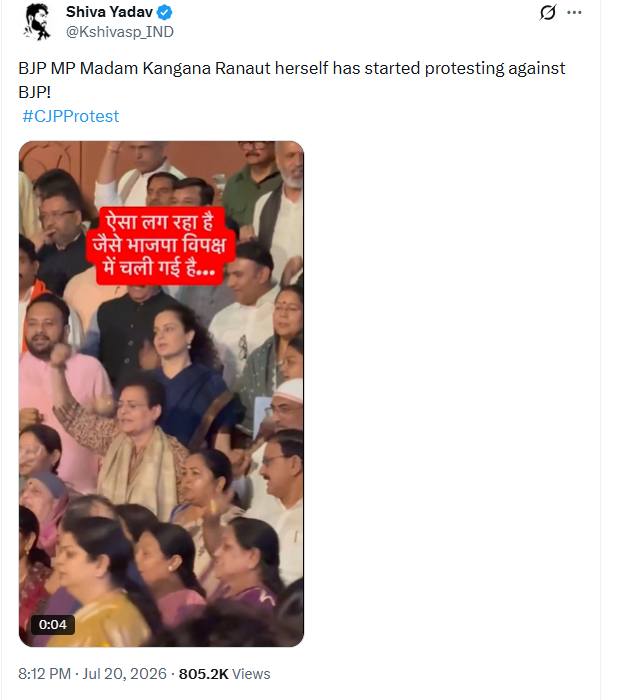
On July 20, 2026, an X (formerly Twitter) user shared the viral video claiming that “BJP MP Kangana Ranaut has now started protesting against her own party.”
The post link, archive link and screenshot are provided below.
https://x.com/Kshivasp_IND/status/2079215438664233391
Fact Check:
To verify the claim, the Desk extracted keyframes from the viral video and conducted a reverse image search using Google Lens. This led to the same video uploaded on the Instagram account ashutoshjourno on April 17, 2026. The caption accompanying the post read, “Aaj Makar Dwar ka nazara alag tha” (The scene at Makar Dwar was different today).
https://www.instagram.com/reels/DXPQoIAiQ3L/

In the next stage of the research, the Desk carried out a keyword search based on the clues obtained from the Instagram post. This led to a Zee News report published on April 17, 2026, which reported that NDA MPs staged a protest outside Parliament after the 131st Constitutional Amendment Bill failed to pass. The visuals in the report matched those seen in the viral video.
https://www.instagram.com/reels/DXPL4tOky5P/
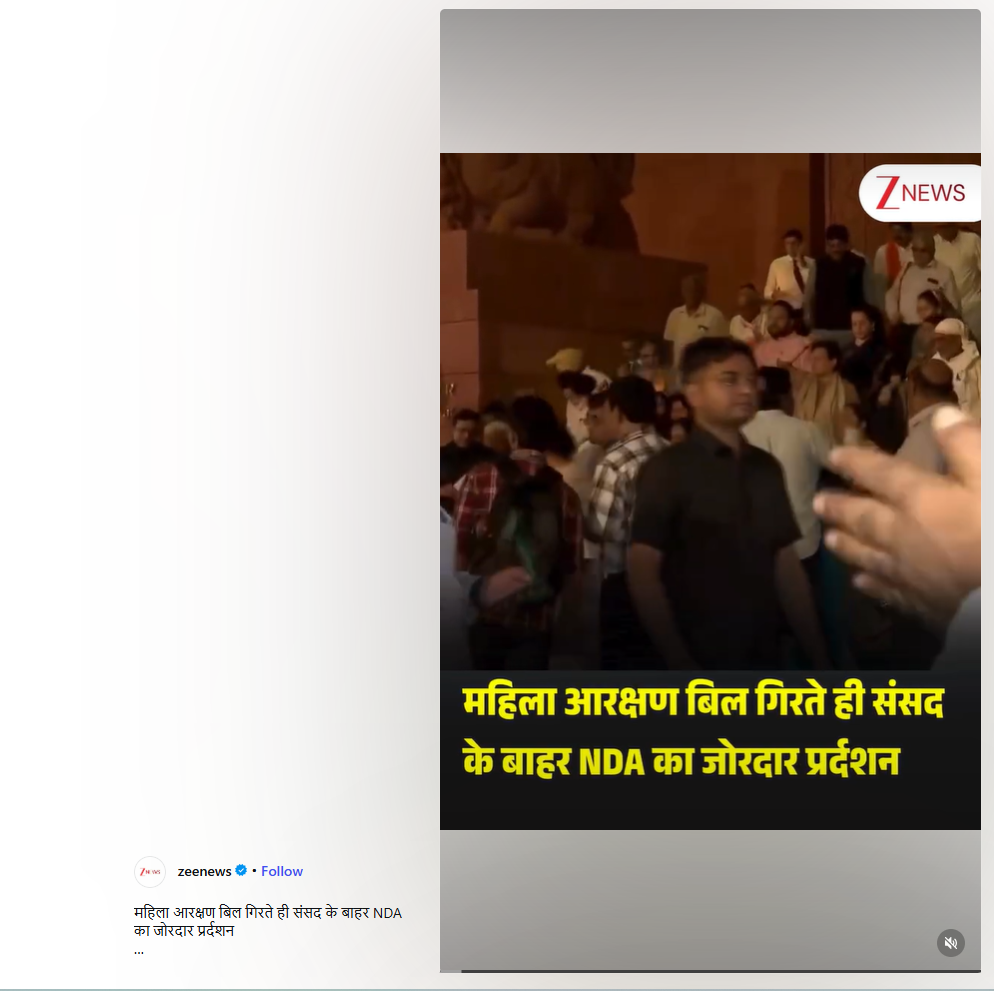
Conclusion:
CyberPeace Research Wing’s research found the viral claim to be misleading. The video is unrelated to the ongoing CJP protest at Jantar Mantar. It was recorded in April 2026, when BJP women MPs protested outside Parliament following the failure of the 131st Constitutional Amendment Bill to pass. The old footage is now being falsely shared as a recent video of Kangana Ranaut supporting the CJP protest.
