
#FactCheck! Viral Image Claiming Virat Kohli and Rohit Sharma Visited Kedarnath Is AI-Generated
A photo featuring Indian cricketers Virat Kohli and Rohit Sharma is being widely shared on social media. In the image, both players are seen holding a Shivling, with the Kedarnath temple visible in the background. Users sharing the image claim that Virat Kohli and Rohit Sharma recently visited Kedarnath.
However, CyberPeace Foundation’s investigation found the claim to be false. Our verification established that the viral image is not real but has been created using Artificial Intelligence (AI) and is being circulated with a misleading narrative.
The Claim
An Instagram user shared the viral image on December 22, 2025, with the caption stating that Rohit Sharma and Virat Kohli are in Kedarnath. The post has since been widely reshared by other users, who assumed the image to be authentic. Link, archive link, screenshot:

Fact Check
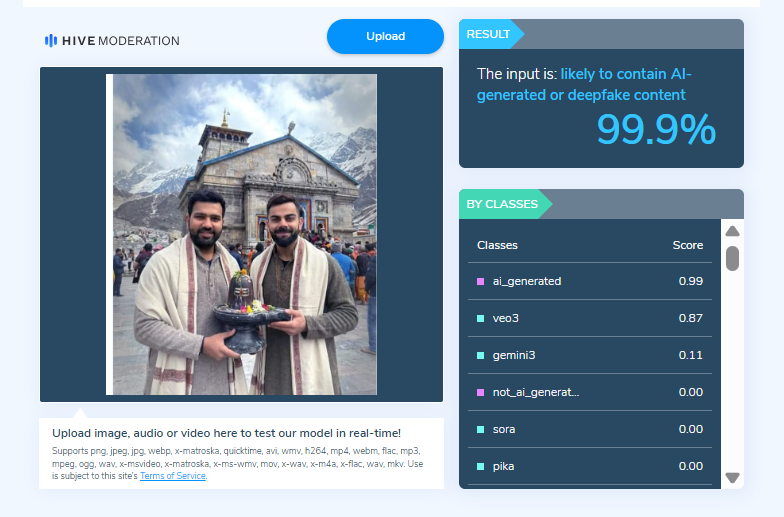
On closely examining the viral image, the Desk noticed visual inconsistencies suggesting that it may be AI-generated. To verify this, the image was scanned using the AI detection tool HIVE Moderation. According to the results, the image was found to be 99 per cent AI-generated.
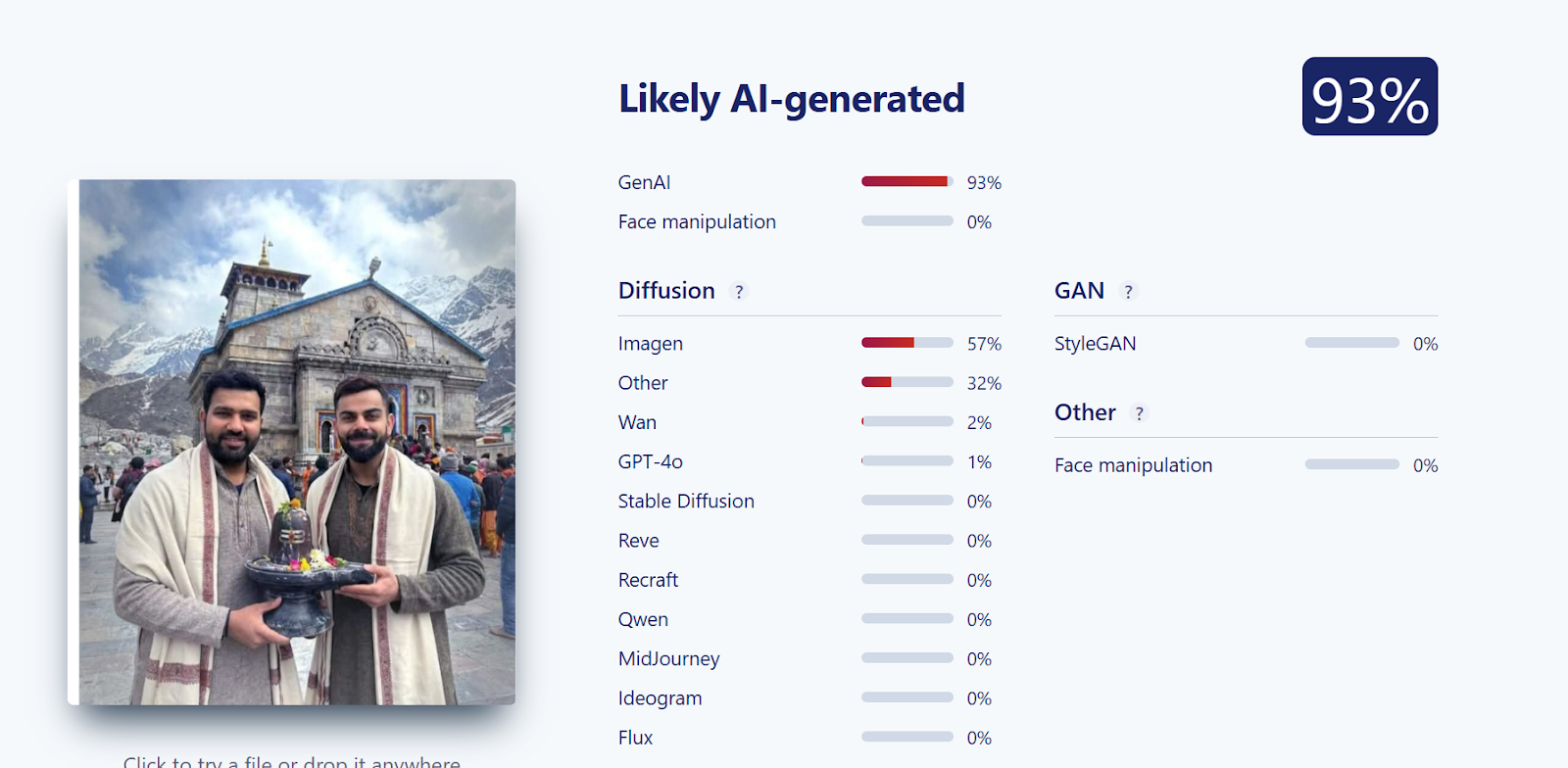
Further verification was conducted using another AI detection tool, Sightengine. The analysis revealed that the image was 93 per cent likely to be AI-generated, reinforcing the findings from the previous tool.
Conclusion
CyberPeace Foundation’s research confirms that the viral image claiming Virat Kohli and Rohit Sharma visited Kedarnath is fabricated. The image has been generated using AI technology and is being falsely shared on social media as a real photograph.

Related Blogs

Introduction
The Data Protection Data Privacy Act 2023 is the most essential step towards protecting, prioritising, and promoting the users’ privacy and data protection. The Act is designed to prioritize user consent in data processing while assuring uninterrupted services like online shopping, intermediaries, etc. The Act specifies that once a user provides consent to the following intermediary platforms, the platforms can process the data until the user withdraws the rights of it. This policy assures that the user has the entire control over their data and is accountable for its usage.
A keen Outlook
The Following Act also provides highlights for user-specific purpose, which is limited to data processing. This step prevents the misuse of data and also ensures that the processed data is being for the purpose for which it was obtained at the initial stage from the user.
- Data Fudiary and Processing of Online Shopping Platforms: The Act Emphasises More on Users’ Consent. Once provided, the Data Fudiary can constantly process the data until it is specifically withdrawn by the Data Principal.
- Detailed Analysis
- Consent as a Foundation: The Act places the user's consent as a backbone to the data processing. It sets clear boundaries for data processing. It can be Collecting, Processing, and Storing, and must comply with users’ consent before being used.
- Uninterrupted Data processing: With the given user consent, the intermediaries are not time-restrained. As long as the user does not obligate their consent, the process will be ongoing.
- Consent and Order Fulfillment: Consent, once provided, encloses all the activities related to the specific purpose for which it was meant to the data it was given for subsequent actions such as order fulfilment.
- Detailed Analysis
- Purpose-Limited Consent: The consent given is purpose-limited. The platform cannot misuse the obtained data for its personal use.
- Seamless User Experience: By ensuring that the user consent covers the full transactions, spared from the unwanted annoyance of repeated consent requests from the actual ongoing activities.
- Data Retention and Rub Out on Online Platforms: Platforms must ensure data minimisation post its utilisation period. This extends to any kind of third-party processors they might take on.
- Detailed Analysis
- Minimization and Security Assurance: By compulsory data removal on post ultization,This step helps to reduce the volume of data platforms hold, which leads to minimizing the risk to data.
- Third-Party Accountability, User Privacy Protection.
Influence from Global frameworks
The impactful changes based on global trends and similar legislation( European Union’s GDPR) here are some fruitful changes in intermediaries and social media platforms experienced after the implementation of the DPDP Act 2023.
- Solidified Consent Mechanism: Platforms and intermediatries need to ensure the users’ consent is categorically given, and informed, and should be specific to which the data is obtained. This step may lead to user-friendly consent forms activities and prompts.
- Data Minimizations: Platforms that tend to need to collect the only data necessary for the specific purpose mentioned and not retain information beyond its utility.
- Transparency and Accountability: Data collecting Platforms need to ensure transparency in data collecting, data processing, and sharing practices. This involves more detailed policy and regular audits.
- Data Portability: Users have the right to request for a copy of their own data used in format, allowing them to switch platforms effectively.
- Right to Obligation: Users can have the request right to deletion of their data, also referred to as the “Right to be forgotten”.
- Prescribed Reporting: Under circumstances of data breaches, intermediary platforms are required to report the issues and instability to the regulatory authorities within a specific timeline.
- Data Protection Authorities: Due to the increase in data breaches, Large platforms indeed appoint data protection officers, which are responsible for the right compliance with data protection guidelines.
- Disciplined Policies: Non-compliance might lead to a huge amount of fines, making it indispensable to invest in data protection measures.
- Third-Party Audits: Intermediaries have to undergo security audits by external auditors to ensure they are meeting the expeditions of the following compliances.
- Third-Party Information Sharing Restrictions: Sharing personal information and users’ data with third parties (such as advertisers) come with more detailed and disciplined guideline and user consent.
Conclusion
The Data Protection Data Privacy Act 2023 prioritises user consent, ensuring uninterrupted services and purpose-limited data processing. It aims to prevent data misuse, emphasising seamless user experiences and data minimisation. Drawing inspiration from global frameworks like the EU's GDPR, it introduces solidified consent mechanisms, transparency, and accountability. Users gain rights such as data portability and data deletion requests. Non-compliance results in significant fines. This legislation sets a new standard for user privacy and data protection, empowering users and holding platforms accountable. In an evolving digital landscape, it plays a crucial role in ensuring data security and responsible data handling.
References:
- https://www.meity.gov.in/writereaddata/files/Digital%20Personal%20Data%20Protection%20Act%202023.pdf
- https://www.mondaq.com/india/privacy-protection/1355068/data-protection-law-in-india-analysis-of-dpdp-act-2023-for-businesses--part-i
- https://www.hindustantimes.com/technology/explained-indias-new-digital-personal-data-protection-framework-101691912775654.html
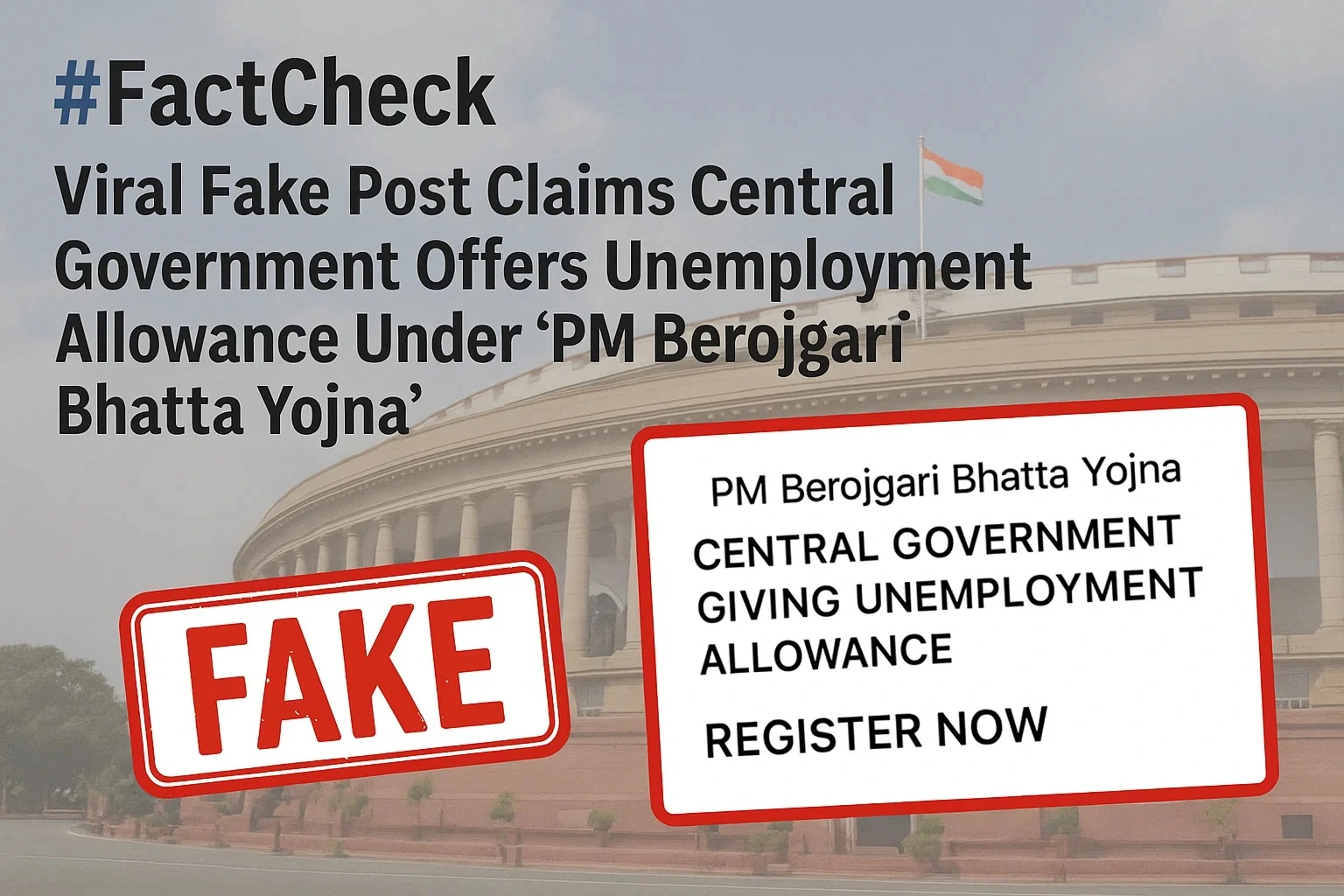
Executive Summary:
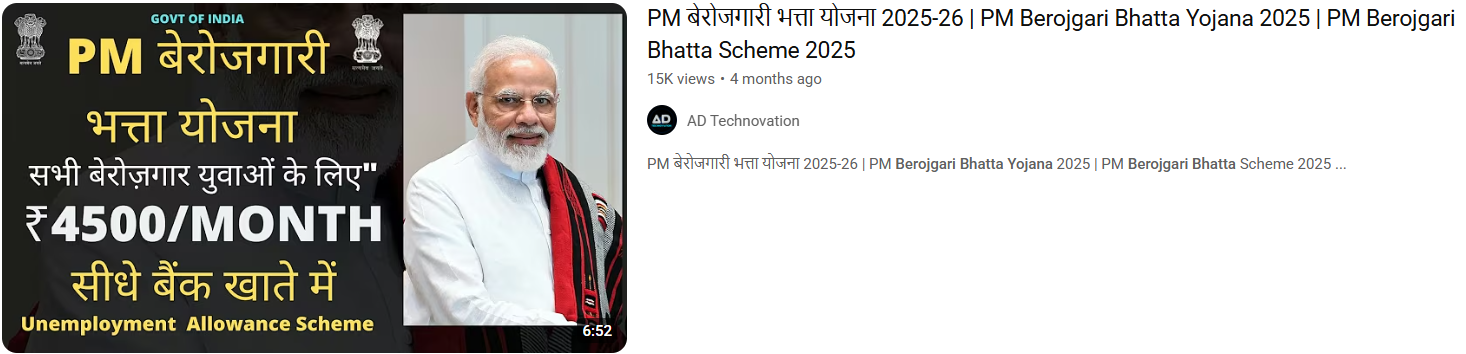
A viral thumbnail and numerous social posts state that the government of India is giving unemployed youth ₹4,500 a month under a program labeled "PM Berojgari Bhatta Yojana." This claim has been shared on multiple online platforms.. It has given many job-seeking individuals hope, however, when we independently researched the claim, there was no verified source of the scheme or government notification.
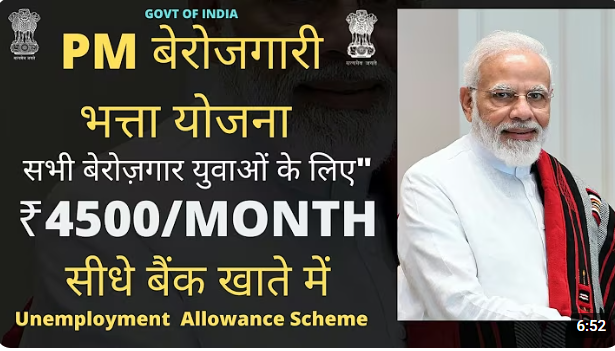
Claim:
The viral post states: "The Central Government is conducting a scheme called PM Berojgari Bhatta Yojana in which any unemployed youth would be given ₹ 4,500 each month. Eligible candidates can apply online and get benefits." Several videos and posts show suspicious and unverified website links for registration, trying to get the general public to share their personal information.
Fact check:
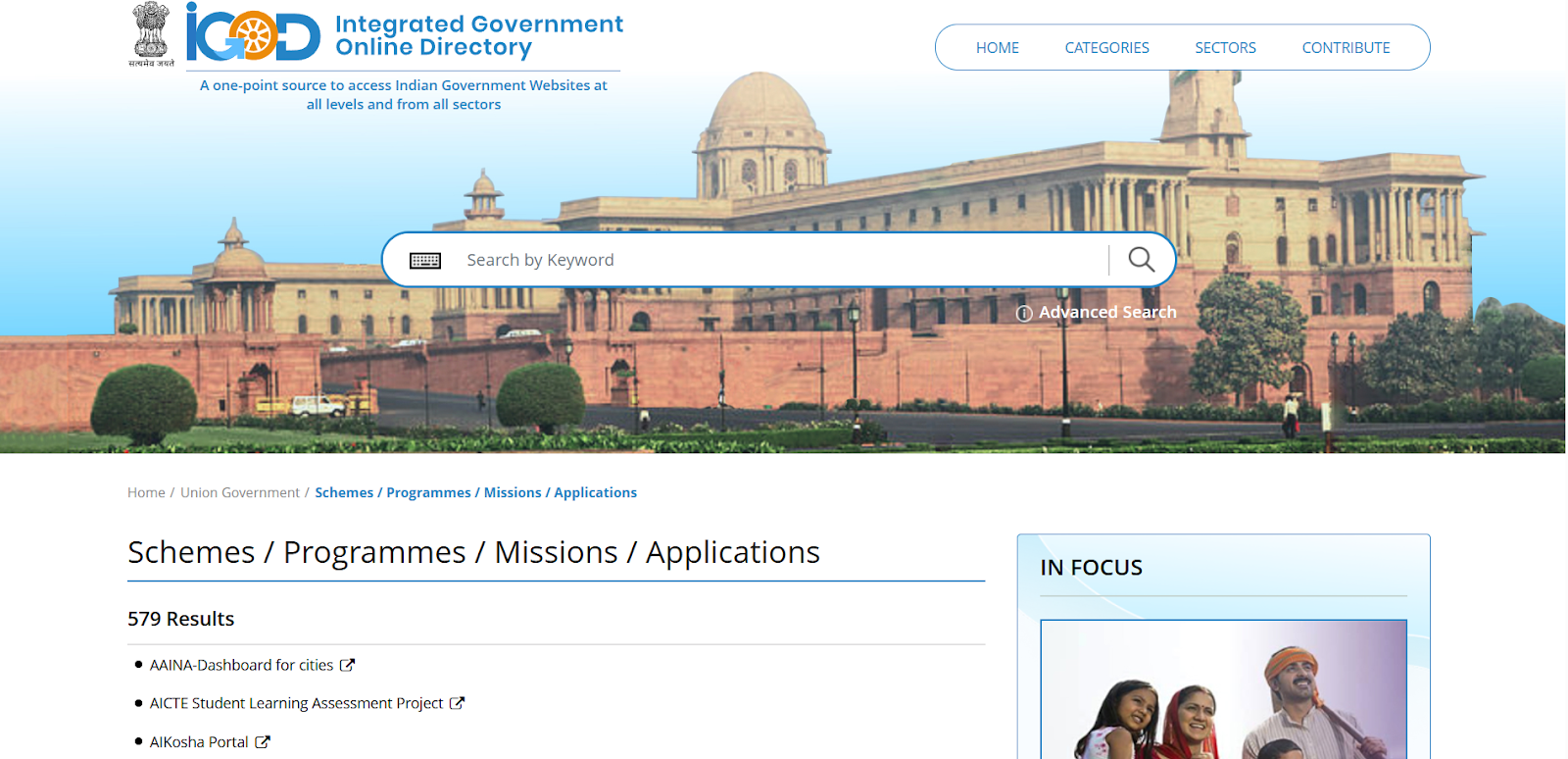
In the course of our verification, we conducted a research of all government portals that are official, in this case, the Ministry of Labour and Employment, PMO India, MyScheme, MyGov, and Integrated Government Online Directory, which lists all legitimate Schemes, Programmes, Missions, and Applications run by the Government of India does not posted any scheme related to the PM Berojgari Bhatta Yojana.
Numerous YouTube channels seem to be monetizing false narratives at the expense of sentiment, leading users to misleading websites. The purpose of these scams is typically to either harvest data or market pay-per-click ads that suspend disbelief in outrageous claims.
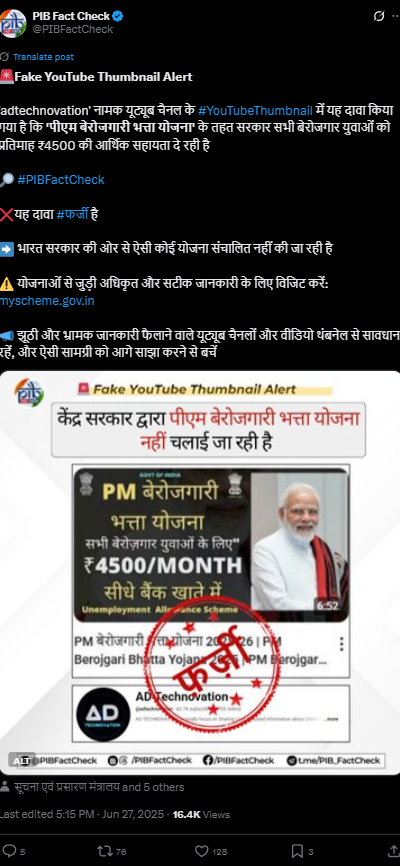
Our research findings were backed up later by the PIB Fact Check which shared a clarification on social media. stated that: “No such scheme called ‘PM Berojgari Bhatta Yojana’ is in existence. The claim that has gone viral is fake”.
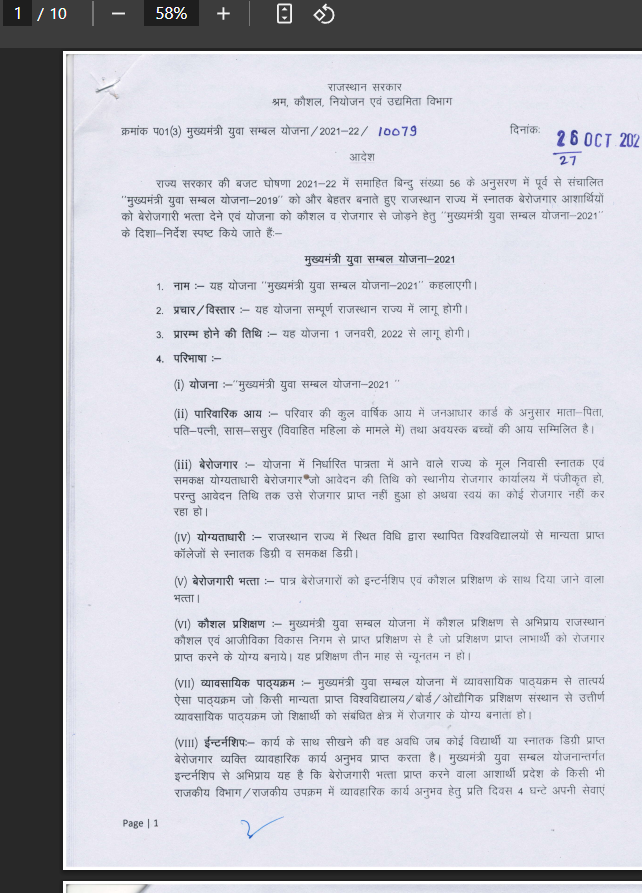
To provide some perspective, in 2021-22, the Rajasthan government launched a state-level program under the Mukhyamantri Udyog Sambal Yojana (MUSY) that provided ₹4,500/month to unemployed women and transgender persons, and ₹4000/month to unemployed males. This was not a Central Government program, and the current viral claim falsely contextualizes past, local initiatives as nationwide policy.
Conclusion:
The claim of a ₹4,500 monthly unemployment benefit under the PM Berojgari Bhatta Yojana is incorrect. The Central Government or any government department has not launched such a scheme. Our claim aligns with PIB Fact Check, which classifies this as a case of misinformation. We encourage everyone to be vigilant and avoid reacting to viral fake news. Verify claims through official sources before sharing or taking action. Let's work together to curb misinformation and protect citizens from false hopes and data fraud.
- Claim: A central policy offers jobless individuals ₹4,500 monthly financial relief
- Claimed On: Social Media
- Fact Check: False and Misleading
.webp)
Introduction
A Pew Research Center survey conducted in September 2023, found that among 1,453 age group of 13-17 year olds projected that the majority of the age group uses TikTok (63%), Snapchat (60%) and Instagram (59%) in the U.S. Further, in India the 13-19 year-olds age group makes up 31% of social media users in India, according to a report by Statista from 2021. This has been the leading cause of young users inadvertently or deliberately accessing adult content on social media platforms.
Brief Analysis of Meta’s Proposed AI Age Classifier
It can be seen as a step towards safer and moderated content for teen users, by placing age restrictions on teen social media users as sometimes they do not have enough cognitive skills to understand what content can be shared and consumed on these platforms and what can not as per their age. Moreover, there needs to be an understanding of platform policies and they need to understand that nothing can be completely erased from the internet.
Unrestricted access to social media exposes teens to potentially harmful or inappropriate online content, raising concerns about their safety and mental well-being. Meta's recent measures aim to address this, however striking a balance between engagement, protection, and privacy is also an essential part.
The AI-based Age Classifier proposed by Meta classifies users based on their age and places them in the ‘Teen Account’ category which has built-in limits on who can contact them, the content they see and more ways to connect and explore their interests. According to Meta, teens under 16 years of age will need parental permission to change these settings.
Meta's Proposed Solution: AI-Powered Age Classifier
This tool uses Artificial Intelligence (AI) to analyze users’ online behaviours and other profile information to estimate their age. It analyses different factors such as who follows the user, what kind of content they interact with, and even comments like birthday posts from friends. If the classifier detects that a user is likely under 18 years old, it will automatically switch them to a “Teen Account.” These accounts have more restricted privacy settings, such as limiting who can message the user and filtering the type of content they can see.
The adult classifier is anticipated to be deployed by next year and will start scanning for such users who may have lied about their age. All users found to be under 18 years old will be placed in the category of teen accounts, but 16-17 year olds will be able to adjust these settings if they want more flexibility, while younger teens will need parental permission. The effort is part of a broader strategy to protect teens from potentially harmful content on social media. This is especially important in today’s time as the invasion of privacy for anyone, particularly, can be penalised due to legal instruments like GDPR, DPDP Act, COPPA and many more.
Policy Implications and Compliances
Meta's AI Age Classifier addresses the growing concerns over teen safety on social media by categorizing users based on age, restricting minors' access to adult content, and enforcing parental controls. However, reliance on behavioural tracking might potentially impact the online privacy of teen users. Hence the approach of Meta needs to be aligned with applicable jurisdictional laws. In India, the recently enacted DPDP Act, of 2023 prohibits behavioural tracking and targeted advertising to children. Accuracy and privacy are the two main concerns that Meta should anticipate when they roll out the classifier.
Meta emphasises transparency to build user trust, and customizable parental controls empower families to manage teens' online experiences. This initiative reflects Meta's commitment to creating a safer, regulated digital space for young users worldwide, it must also align its policies properly with the regional policy and law standards. Meta’s proposed AI Age Classifier aims to protect teens from adult content, reassure parents by allowing them to curate acceptable content, and enhance platform integrity by ensuring a safer environment for teen users on Instagram.
Conclusion
Meta’s AI Age Classifier while promising to enhance teen safety and putting certain restrictions and parental controls on accounts categorised as ‘teen accounts’, must also properly align with global regulations like GDPR, and the DPDP Act with reference to India. This tool offers reassurance to parents and aims to foster a safer social media environment for teens. To support accurate age estimation and transparency, policy should focus on refining AI methods to minimise errors and ensure clear disclosures about data handling. Collaborative international standards are essential as privacy laws evolve. Meta’s initiative is intended to prioritise youth protection and build public trust in AI-driven moderation across social platforms, while it must also balance the online privacy of users while utilising these advanced tech measures on the platforms.
References
- https://familycenter.meta.com/in/our-products/instagram/
- https://www.indiatoday.in/technology/news/story/instagram-will-now-take-help-of-ai-to-check-if-kids-are-lying-about-their-age-on-app-2628464-2024-11-05
- https://www.bloomberg.com/news/articles/2024-11-04/instagram-plans-to-use-ai-to-catch-teens-lying-about-age
- https://tech.facebook.com/artificial-intelligence/2022/6/adult-classifier/
- https://indianexpress.com/article/technology/artificial-intelligence/too-young-to-use-instagram-metas-ai-classifier-could-help-catch-teens-lying-about-their-age-9658555/
